

Plans
The Plans screen is where you define roast targets before stepping in front of the machine. A Plan sets the coffee you’ll use, the machine you’ll roast on, and any weight targets you want to track.
You can open Plans from the main navigation.
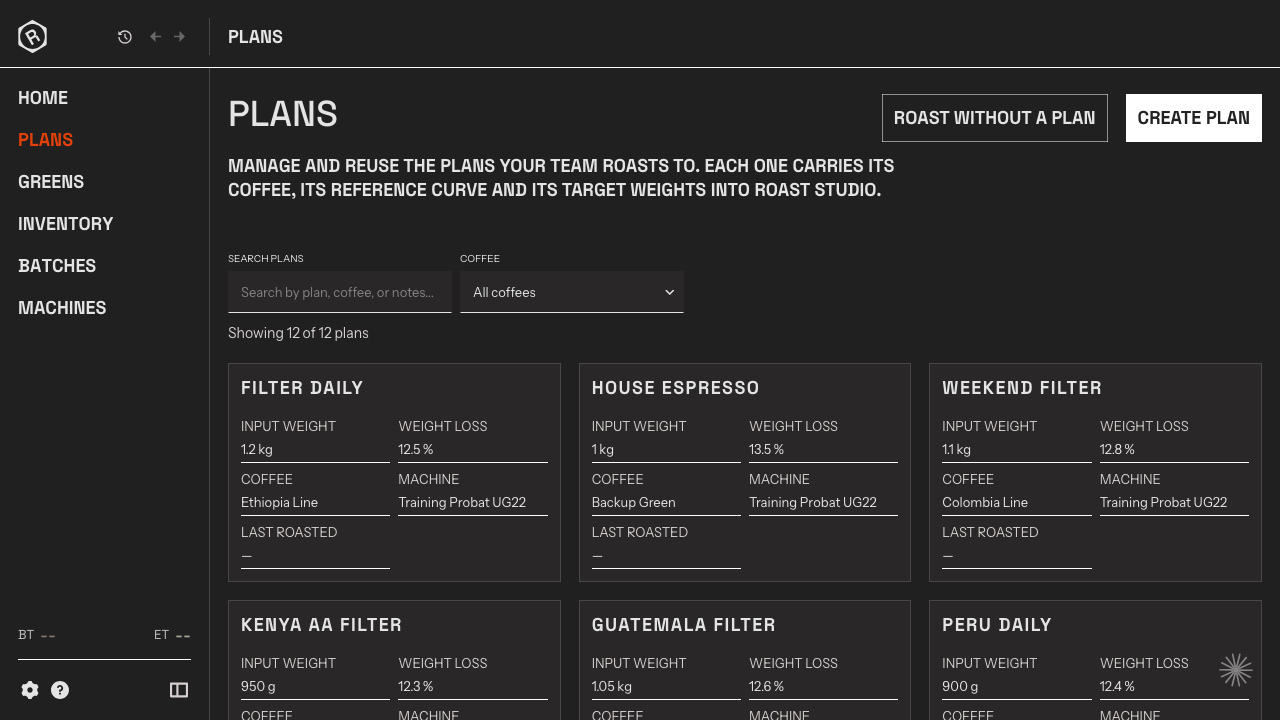
What you see
Section titled “What you see”The Plans list shows all your saved Plans. Each card summarises the targets you’ve set: the green coffee assigned, the charge weight you’re aiming for, and your weight loss target if you’ve entered one. Click any card to open the full plan — its Reference Curve, batch history, and the statistics from every roast run against it.
Create a plan
Section titled “Create a plan”Click Create Plan to open the create form. Give the plan a name, then set your targets: how much green coffee you’ll charge and your expected weight loss percentage if you track it.
Choosing a Machine and a Green Coffee is optional but worth doing. The selected Machine is used when you open this plan in Roast Studio. The green coffee links the plan to your inventory, so every Batch recorded against the plan automatically deducts from the relevant Lots. For blends, each Coffee Line deducts proportionally.
You can assign a single Green Coffee or configure a blend of multiple Coffee Lines. If you use a blend, set a percentage for each Coffee Line and make sure the total is 100%.
A Reference Curve can’t be added here — you set one from the plan’s detail view after saving. Add any working notes in the Notes field; they travel with the plan and are visible every time you open it.
Click Save to add the plan to your library.
Roast without a plan
Section titled “Roast without a plan”If you want to start a Batch without pre-defining targets, click Roast without a Plan to open Roast Studio directly.