

Batches
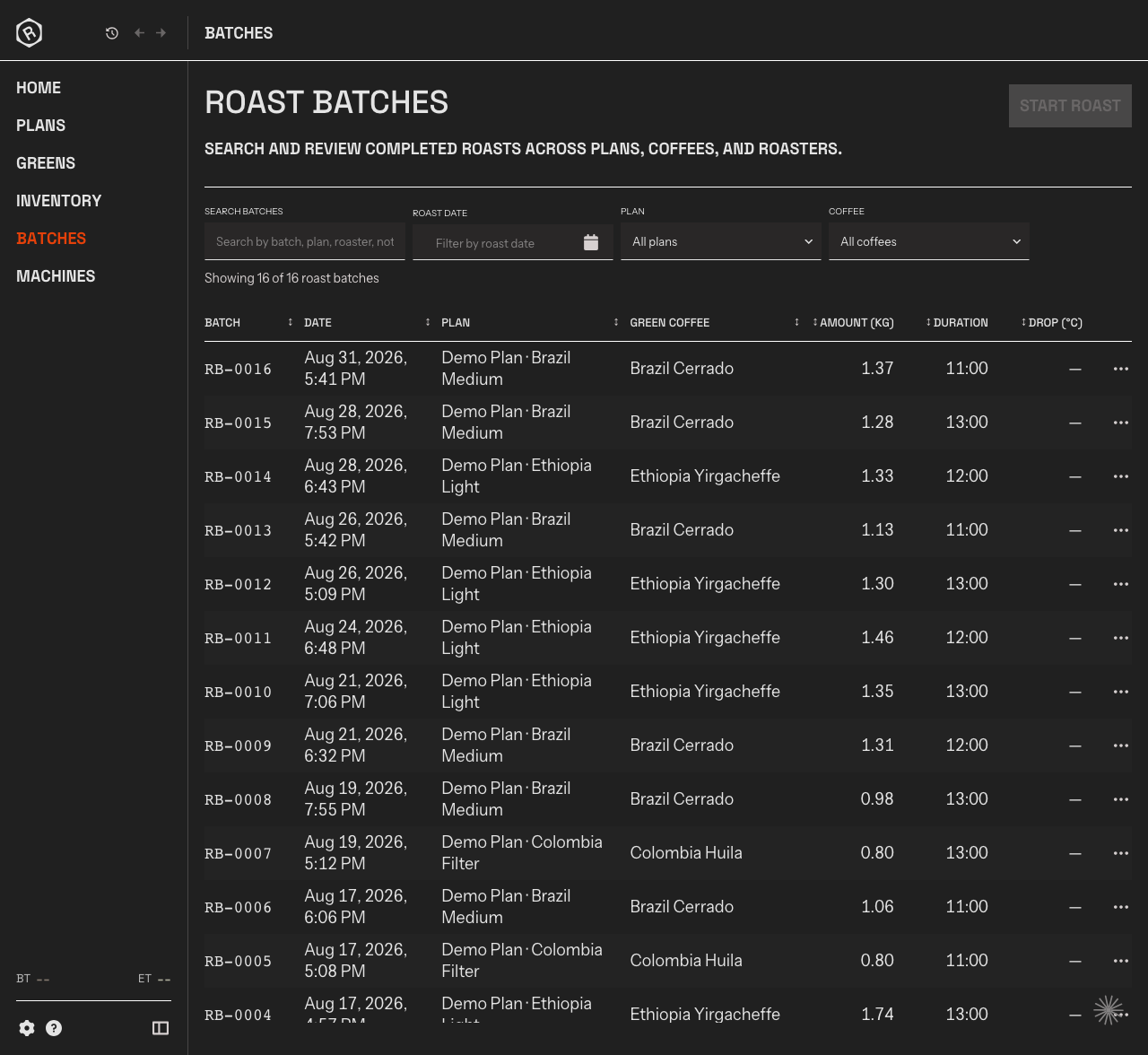
The Batches screen is your roast history. Every completed roast is stored here as a Batch, whether it was started from a plan or roasted without one.
What you see
Section titled “What you see”Every completed roast is stored here as a Batch, whether it was roasted against a plan or without one. The list shows your most recent roasts at the top and loads more as you scroll.
Each row shows the Batch code, the date, which Plan it was roasted against (if any), how much green coffee was charged, the total roast time, and the drop temperature.
Open a batch
Section titled “Open a batch”Click any row to open the batch detail view for that roast.
Start a roast
Section titled “Start a roast”Click Start Roast to open Roast Studio without pre-selecting a plan. The Batch is recorded automatically and appears in this list when the Batch ends.