Coffee roasting machine compatibility guide.
Coffee roasting machine compatibility depends on more than the brand on the faceplate. Check the exact roaster model, controller, connection method, support status, and setup requirements before assuming any roasting software is production-ready for your machine. Rostoc has dedicated setup guides for supported sample-roasting workflows, plus setup guides for Kaleido, Santoker, Siemens S7 PLC, Giesen, Probat P Series, and Aillio Bullet workflows.
Updated July 30, 2026 | Rostoc
Start with the current compatibility status
The safest way to check Rostoc compatibility is to start with the current catalog, then confirm the details for your exact machine. The public docs maintain the machine compatibility directory and a short machine compatibility guide.
A brand name is not enough. Two roasters from the same manufacturer can use different controllers, different register maps, or different connection paths. Treat support status as model-specific until the catalog page says otherwise.
Rostoc uses conservative language for compatibility. Supported means ready for regular use. Experimental means available to test, but the setup should be confirmed before relying on it in production. Planned or coming soon means the machine is not ready today and should go through a support request.
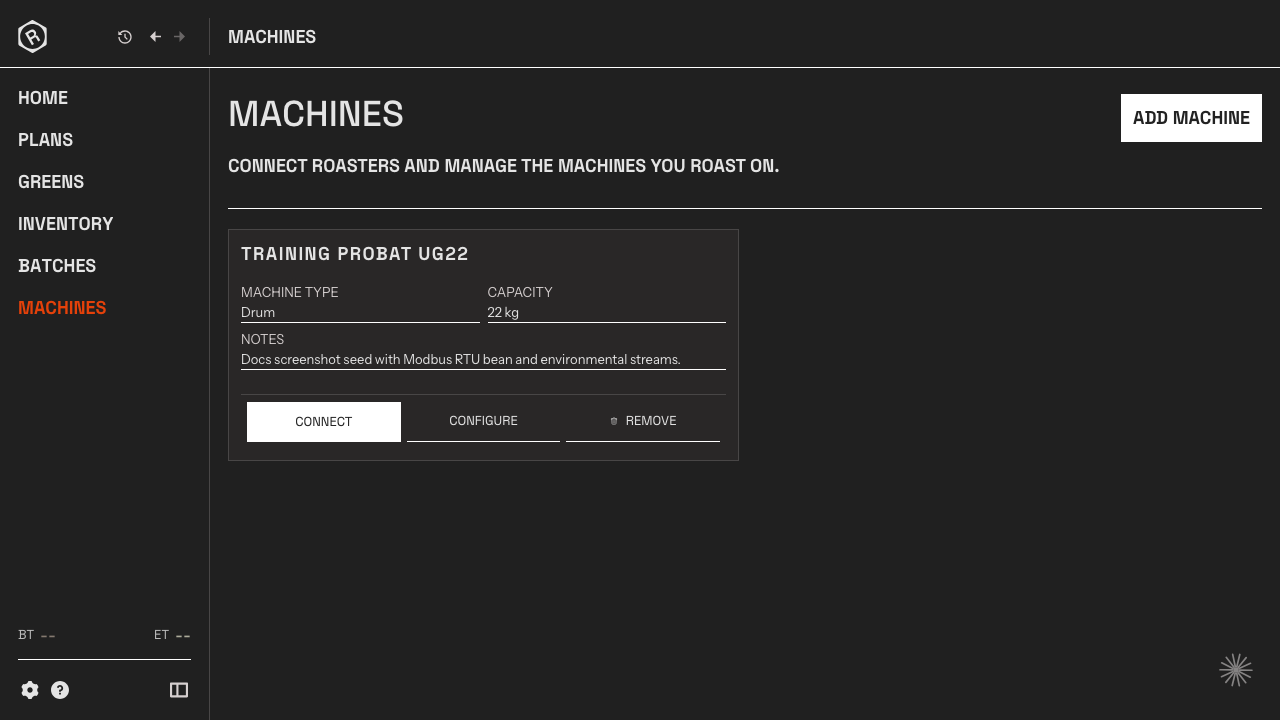
What affects coffee roasting machine compatibility
Most compatibility problems come from the machine-controller boundary, not from the roast curve chart. Before choosing software, collect the information that determines whether the machine can be read reliably.
| Setup detail | Why it matters | What to check |
|---|---|---|
| Exact model and controller | The same brand can ship several controller families. | Brand, model, year, controller name, and firmware if available. |
| Connection method | Rostoc needs a readable interface before it can log live machine data. | Modbus TCP, Modbus RTU, USB serial, vendor controller, Phidgets, or another bridge. |
| Data map | Temperature, gas, airflow, drum, and event values need stable field definitions. | Register map, serial CSV fields, Artisan .aset settings, or vendor documentation. |
| Roasting workflow | A sample roaster, production roaster, and retrofit panel can need different setup assumptions. | Batch size, sensors used, whether the operator needs read-only logging or controls too. |
| Validation path | A visible curve is not enough; the values should be plausible and repeatable. | Test connection, compare BT/ET readings, record a short batch, and review event timing. |
Protocol notes for Rostoc setup
Rostoc is strongest when the roaster exposes stable machine data through a known connection path. The exact model page should be treated as the source of truth because support status can differ by controller, firmware, and machine family.
If you already have Artisan configured, an `.aset` file can be useful evidence because it may contain the machine, connection, register, and stream settings needed to understand the setup. Importing or reviewing those settings is still not the same as claiming every machine is supported.
| Path | Useful when | Compatibility note |
|---|---|---|
| Kaleido | The roastery uses a selected Kaleido M1, M2, M6, M10, Pro, Dual, or legacy setup. | Experimental and exact-entry specific. Use the Kaleido setup guide and confirm whether the setup uses USB, Bluetooth, Wi-Fi, Ethernet, or a legacy serial path. |
| Kaffelogic Nano 7 | The roastery uses Kaffelogic Nano 7 for sample roasting. | Use the Kaffelogic setup guide and confirm the USB setup before relying on daily sample-roasting records. |
| Nucleus Link | The roastery uses Nucleus Link for sample roasting. | Use the Nucleus Link setup guide and confirm the USB setup before relying on daily sample-roasting records. |
| Santoker WiFi and Bluetooth | The roastery uses an exact Santoker Q + X Series WiFi, R Master Series WiFi, Q + X Series BT, R Master Series BT, or Cube BT catalog entry. | Experimental read-only telemetry. Use the Santoker setup guide, confirm the WiFi or Bluetooth connection path, and validate BT, ET, feedback, and any Cube-specific readings before production use. |
| Probat Ethernet | The roastery uses a selected Probat P Series, Probat Sample, or related catalog entry with local network data. | Currently early support. Use the Probat setup guide, confirm the exact catalog entry, and validate real readings before production use. |
| Aillio USB | The roastery uses an Aillio Bullet model and wants roast logging connected to records outside the native app. | Currently early support. Use the Aillio setup guide and compare readings before relying on the record. |
| Siemens S7 / PLC | The roaster exposes machine data through a Siemens S7 PLC over Ethernet. | Exact-entry specific. Use the S7 setup guide, confirm the catalog entry has S7 streams, then validate BT, ET, and feedback values before production use. |
| Giesen S7 | The roastery uses a Siemens-era Giesen machine such as W1, W6, W15, W30, W45, W60, W140, or a compatible WxA preset. | Exact-entry specific. Giesen external-software workflows may require a paid unlock code from Giesen before another application can read machine data. |
| Modbus TCP | The roaster or controller exposes data over the network. | Often the cleanest path when IP, port, slave ID, function code, register, data type, and scale are known. |
| Modbus RTU | The roaster exposes data over serial or RS-485. | Requires the correct COM port or device path plus baud, parity, stop bits, slave ID, and register map. |
| Serial text or CSV-style streams | A controller sends readable sensor fields over a serial connection. | Can be promising, but needs model-specific validation of field order and units. |
| Other bridges and vendor controllers | The machine uses a proprietary controller, Phidget bridge, PLC, or custom integration. | Send documentation through the support request flow so the team can evaluate it safely. |
How to request support for a machine
If your machine is listed as planned, coming soon, or missing from the catalog, send a support request before assuming it can connect. A precise request is much easier to evaluate than a generic “does Rostoc support this brand?” question.
Useful support requests include the roaster brand and model, controller details, connection type, screenshots of the existing setup, relevant manuals or register maps, and whether the machine already works in Artisan or another logger.
- Include your roaster brand, model, capacity, and approximate production year.
- Name the controller or data interface if you know it.
- Attach or describe Modbus registers, serial fields, or the Artisan `.aset` setup.
- Say whether you need read-only logging, event capture, or control writes.
- Mention whether this is a production roaster, sample roaster, retrofit, or test bench.
How this fits with coffee roasting software
Machine compatibility is only one part of choosing coffee roasting software. A live curve is useful, but a roastery also needs the batch record, green coffee lot, roast plan, notes, reference curve, and quality context around it.
That is where Rostoc is different from a logger-only workflow. The machine connection captures the data, while the production record keeps that data connected to inventory, plans, batches, and repeatability work.
FAQ
Does Rostoc support my coffee roaster?
Check the current machine compatibility catalog for your exact brand and model. Compatibility is model-specific and depends on support status, controller, connection method, and setup details.
What does experimental compatibility mean?
Experimental compatibility means a model is available to test in Rostoc, but you should confirm the setup and readings before relying on it for production logging.
Does Rostoc support Aillio Bullet roasters?
Aillio Bullet models are currently experimental in Rostoc. You can test read-only roast logging, but confirm the readings on your exact setup before relying on it for production.
Does Rostoc support Siemens S7 coffee roasters?
Rostoc supports selected Siemens S7 and PLC catalog entries. Support is exact-machine specific, so check the catalog page and validate readings on your setup.
Does Rostoc support Giesen roasters?
Rostoc supports selected Siemens-era Giesen entries. Giesen external-software setups may require an unlock code purchased from Giesen, so confirm the unlock status before troubleshooting Rostoc.
Does Rostoc support Kaleido roasters?
Rostoc has experimental support for selected Kaleido entries. Check the exact M1, M2, M6, M10, Pro, Dual, Standard, Lite, serial, network, or legacy setup before relying on Rostoc for production logging.
Which machine connections matter for Rostoc compatibility?
Rostoc compatibility depends on the exact connection method and catalog entry. Connection paths include selected Ethernet, USB, Bluetooth, Wi-Fi, serial, Siemens S7, Kaleido, sample-roaster, Modbus TCP, and Modbus RTU setups. Check the model-specific page and support status before production use.
Can Artisan settings help with Rostoc machine setup?
Yes. An Artisan .aset file can provide useful evidence about protocol, registers, labels, and stream configuration, but the resulting Rostoc setup should still be reviewed and tested.