An Artisan alternative for roasteries that need production context.
Artisan is powerful, flexible, and widely used roast logging software. It is often best for users who are comfortable with technical setup, device configuration, and occasional debugging. Rostoc is built for teams that want roast data connected to green lots, roast plans, machine setups, batch records, and shared production workflow.
Updated June 15, 2026 | Rostoc
Direct Answer
Artisan is a strong choice if you want a free, deeply configurable roast logging environment and you are comfortable managing setup, device configuration, and troubleshooting yourself.
Rostoc is a better fit when the roastery wants roast logging to sit inside a broader production record: green inventory, roast plans, machine setups, batch history, notes, references, and team-accessible context.
- Choose Artisan if you want maximum logger flexibility and technical control.
- Choose Rostoc if production context matters as much as the roast curve.
- Use both if Artisan remains your preferred logger while Rostoc organizes batches, lots, plans, and production history.
Where Artisan Is Strong
Artisan has earned its place in coffee roasting because it gives technical users a flexible environment for capturing and visualizing roast data.
That flexibility is valuable. It can also mean the user needs to understand the machine connection, device settings, event configuration, smoothing, labels, serial or network behavior, and the practical debugging that comes with a configurable logger.
- Free and open-source roast logging.
- Detailed curve capture and visualization.
- Deep configuration for devices, events, labels, and roast data.
- A large body of community knowledge and existing user workflows.
- A good fit for technical roasters who enjoy tuning their own setup.
Where Teams Outgrow A Logger Alone
A roast logger can tell you what happened during a roast. A production workflow also needs to answer what coffee was used, which lot it came from, which plan was active, who roasted it, what changed, and whether the result should become a reference.
Those questions often end up in spreadsheets, notebooks, file names, chat threads, or one person's memory. That is where Rostoc is deliberately different from a logger-only workflow.
- Green inventory should connect to the batches that consume it.
- Roast plans should preserve the intended approach before production starts.
- Machine setups should stay attached to the plan and batch record.
- Notes and quality context should be searchable after roast day.
- Historical records should be useful to the whole team, not only the person who configured the logger.
Artisan vs Rostoc
This comparison is not a claim that every roastery should leave Artisan. Many teams can use Artisan successfully for years.
The decision depends on whether your main problem is logging curves, or whether your team needs a connected production system around those curves.
| Need | Artisan | Rostoc |
|---|---|---|
| Roast logging | Strong, flexible, and highly configurable | Built into a broader batch and production record |
| Technical setup | Best for users comfortable configuring and debugging devices | Designed to keep setup context attached to machines and plans |
| Green inventory | Usually handled outside Artisan | Connected to coffee lines, lots, plans, and roast batches |
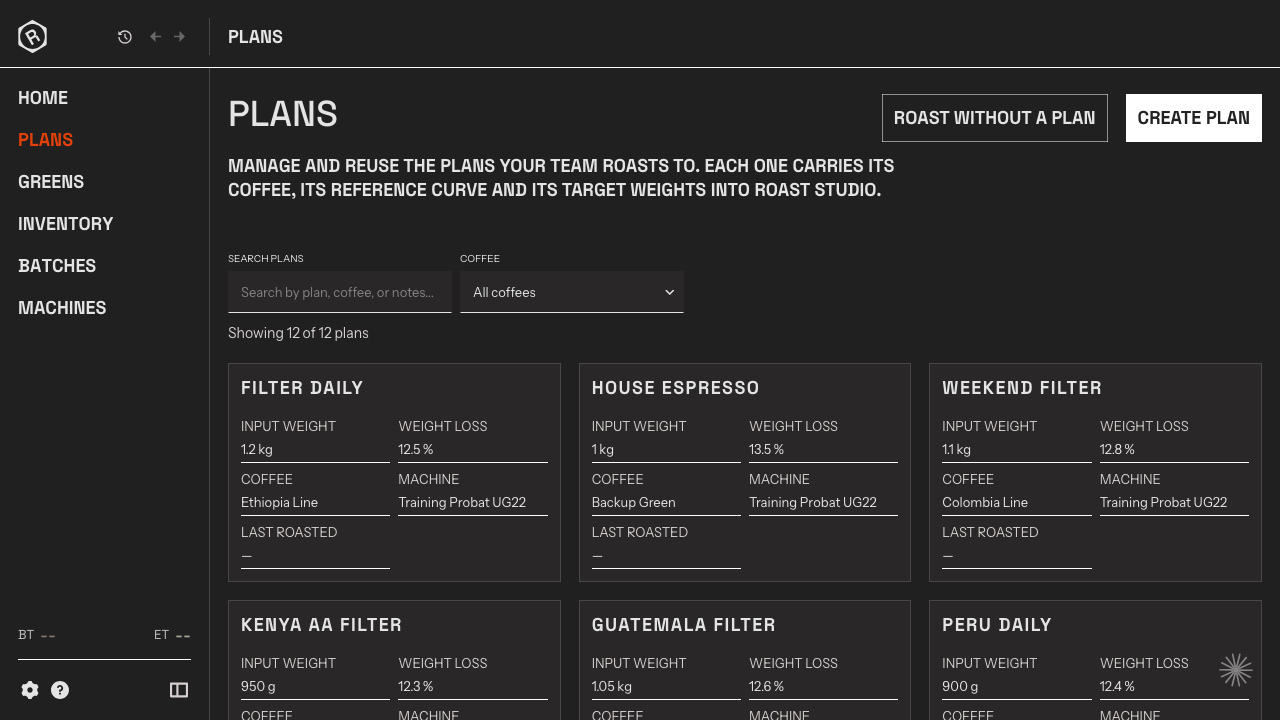
| Roast plans | Can be represented through profiles and user workflow | Structured plans connect coffee, machine setup, references, targets, and notes |
| Team workflow | Depends on local process and file organization | Shared records for lots, plans, batches, notes, and references |
| Historical Artisan files | Native working format | Selected .alog files can be imported into Rostoc for broader context |
| Best fit | Technical users who want a powerful roast logger | Roasteries that want production context around roast data |
Using Artisan And Rostoc Together
A transition does not have to be all-or-nothing. If a roastery already has a useful Artisan workflow, Rostoc can be evaluated around the records that sit outside the logger.
For example, the team can use the Artisan import guide to review which historical .alog files are worth importing, collect .aset machine settings for setup review, connect selected roast history to green lots and plans, and decide whether Rostoc should become the main production workspace over time.
- Keep Artisan for technical logging while evaluating Rostoc for plans and inventory.
- Import selected historical roasts rather than every old file by default.
- Use Rostoc to connect batches to green coffee, notes, references, and team review.
- Move gradually if the roastery depends on an existing Artisan setup.
Questions To Ask Before Switching
The right decision is practical. A roastery should choose the workflow that the team will actually maintain during production, not the one that looks best in a feature list.
- Who will configure and troubleshoot the machine connection?
- Where do green lots, active inventory, and lot transitions live today?
- Can another team member understand a historical batch without asking the original operator?
- Does quality feedback connect back to the roast plan and batch record?
- Are spreadsheets still manageable, or are they becoming the production system by accident?
Where Rostoc Fits
Rostoc is built for roasteries that want a connected production record around the roast.
The goal is not to dismiss Artisan. The goal is to give teams a workflow where the curve, green coffee, machine setup, roast plan, batch outcome, and notes can be reviewed together.
If the main pain is a disconnected production record rather than the shape of the roast graph itself, Rostoc is the Artisan alternative worth testing.
FAQ
Is Rostoc an Artisan alternative?
Yes. Rostoc can be an Artisan alternative for roasteries that want roast data connected to green inventory, roast plans, batch records, notes, references, and team workflow.
When should I choose Artisan instead of Rostoc?
Choose Artisan if you want a free, deeply configurable roast logger and you are comfortable with technical setup, device configuration, and occasional debugging.
When should I choose Rostoc instead of Artisan?
Choose Rostoc if your roastery needs production context around roast logging: green lots, roast plans, machine setups, saved batches, notes, references, and shared records.
Can I use Artisan and Rostoc together?
Yes. Some teams may keep Artisan for technical logging while using Rostoc to organize selected historical roasts, plans, inventory, and production records.
Can Rostoc import Artisan .alog files?
Rostoc can import selected Artisan .alog files so useful historical roast records can be reviewed in a broader production context.