Nucleus Link sample roasting needs inventory context.
Adding Nucleus Link support to Rostoc clarified a simple point: sample roasting is not only a profile problem. For a roastery, the sample roast should stay connected to the green coffee, inventory usage, cupping feedback, and production decision it supports.
Updated June 21, 2026 | Rostoc
The sample roast is small, but the decision is not
Nucleus positions Link around small-batch sample roasting with Link App and Link Studio workflows. That makes it attractive for cupping, green evaluation, origin trips, and roasteries that want repeatable sample roasts without treating every sample like a production batch.
But the business decision attached to a sample roast is rarely small. A sample can decide whether a coffee is purchased, profiled, blended, rejected, or moved into production. If the roast data is saved but the inventory and decision context are elsewhere, the roastery still has a fragmented record.
The common gap: the curve is logged, inventory is not
Sample roasting workflows often capture the roast curve and tasting notes, then leave green coffee usage in a spreadsheet, a notebook, or someone's memory. That is understandable when the dose is only 50g or 100g, but those small deductions add up when a team is evaluating many coffees.
More importantly, inventory is not only a stock number. It is the link between a coffee, a lot, a sample, a cup result, and the next production decision. When that link is missing, the roastery has to reconstruct the story later.
- Which lot did we sample?
- How much green coffee did the sample roast consume?
- Which roast data belongs to that sample?
- Did the sample lead to a production profile or buying decision?
- Can another team member find the same record next month?
What changes when sample roasting is inventory-connected
In Rostoc, the goal is to make the sample roast part of the same operational system as green lots, roast plans, batches, and production history. The sample roast should not become a disconnected file.
That does not make Link Studio unnecessary. Native Nucleus Link tools are still useful for Link-specific setup and profiles. Rostoc adds the roastery layer: the inventory and workflow context that lets the team act on the sample later.
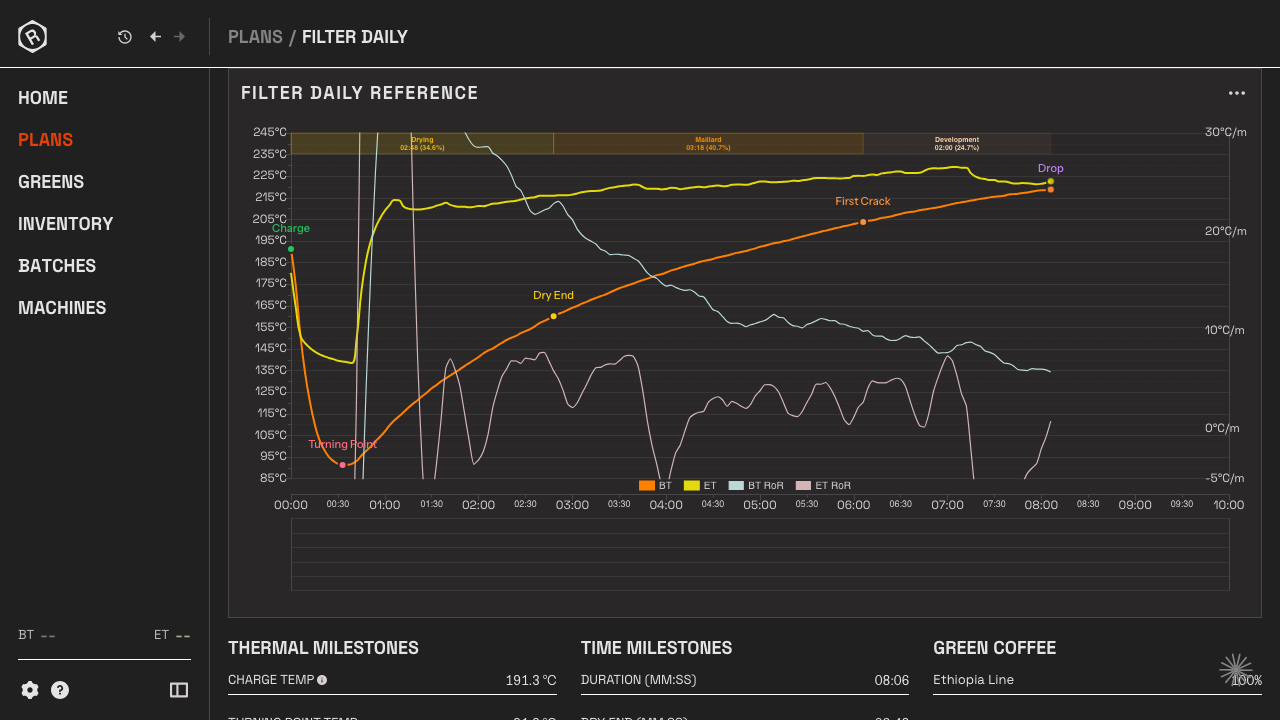
A practical Nucleus Link workflow in Rostoc
A useful sample-roasting workflow starts before the roast. The roastery chooses the green lot, records or confirms the sample quantity, and captures the roast through the Nucleus Link setup.
After the roast, the record should be easy to connect to tasting notes, profile decisions, and future production batches. That is the point of putting Nucleus Link support inside a roastery workflow rather than treating it only as a curve capture feature.
- Choose the green lot being sampled.
- Record the sample roast with Nucleus Link.
- Keep the roast data attached to the lot and sample decision.
- Use the result to decide whether the coffee needs another sample, a profile change, or a production plan.
- Review the history later without reconciling several disconnected tools.
How this differs from a generic machine-support announcement
It would be easy to announce Nucleus Link support as another compatibility checkbox. That would miss the larger point.
The SEO and product angle is more specific: Nucleus Link sample roasting becomes more useful when the roast data is connected to inventory. For roasteries, that connection is what turns a sample roast into a decision record.
Read the canonical integration page, including source notes for Nucleus and Cropster public support pages, here: Nucleus Link sample roasting software with inventory tracking.
FAQ
Why does inventory matter for sample roasting?
Sample roasting consumes green coffee and creates buying, profiling, and production decisions. Inventory context keeps the sample roast connected to the lot and decision record instead of leaving it as a disconnected curve.
Is Nucleus Link only for sample roasting?
Nucleus positions Link around small-batch sample roasting workflows. Rostoc's content focuses on that sample-roasting use case and the inventory context around it.
Should roasteries still use Link Studio?
Often yes. Link Studio is useful for native Nucleus Link workflows. Rostoc adds inventory, lot, batch, plan, and record context around the sample roast.